Your car can’t tell you. We can.
When something happens to your parked car, someone nearby usually sees it first. KerbAlert lets them tell you, while there’s still time to do something about it.
Sunday 27 September
9:41
How it works
Someone sees it. You hear about it.
No trackers or gadgets to fit. Just people who park and walk the same streets as you, looking out for each other’s cars.
-
9:41
Spot it
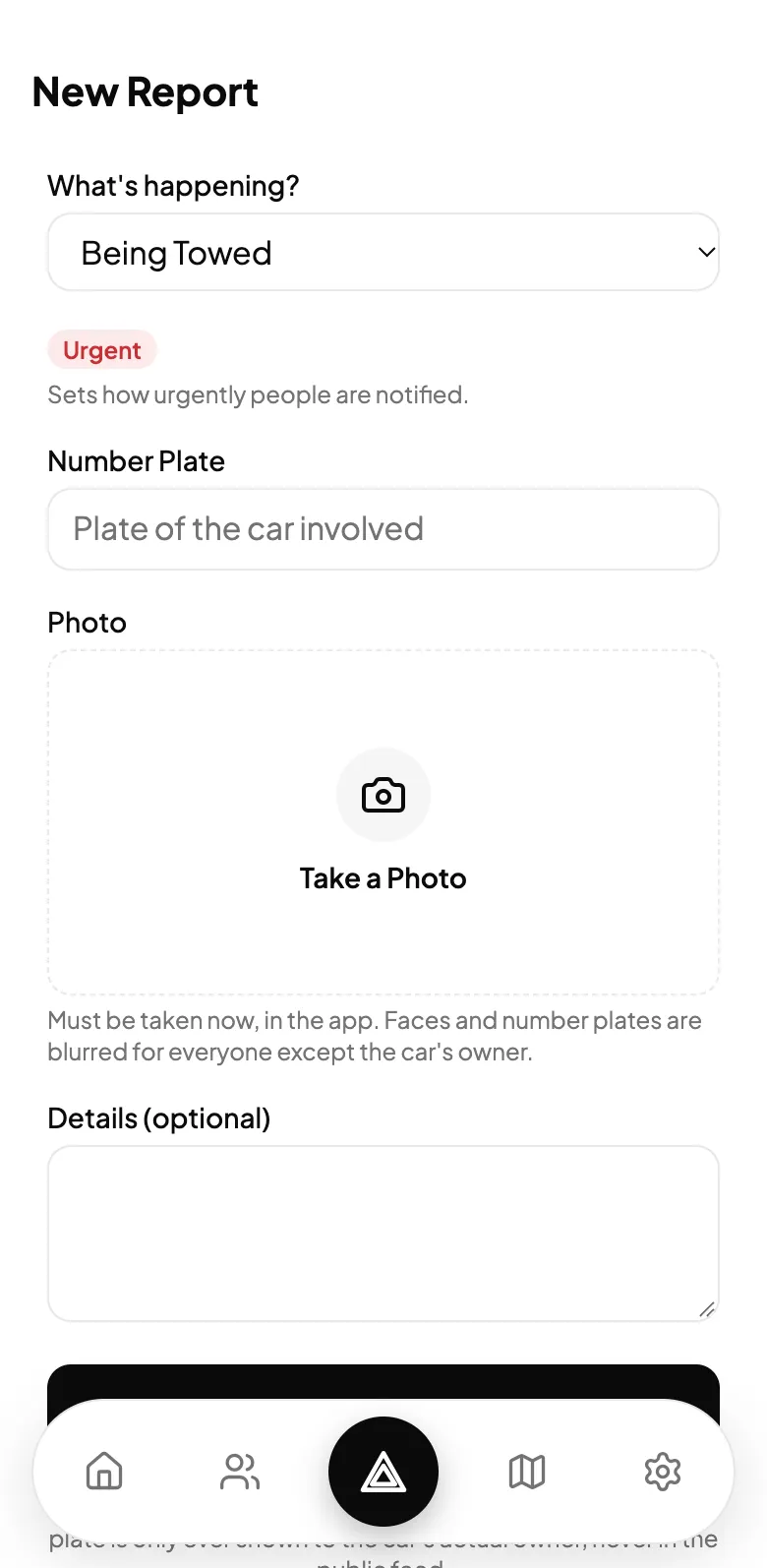
A tow truck backing up. A smashed window. A warden with a ticket machine. Anyone nearby can report it in a few taps, whether they drive, walk or cycle.
-
9:41
Prove it
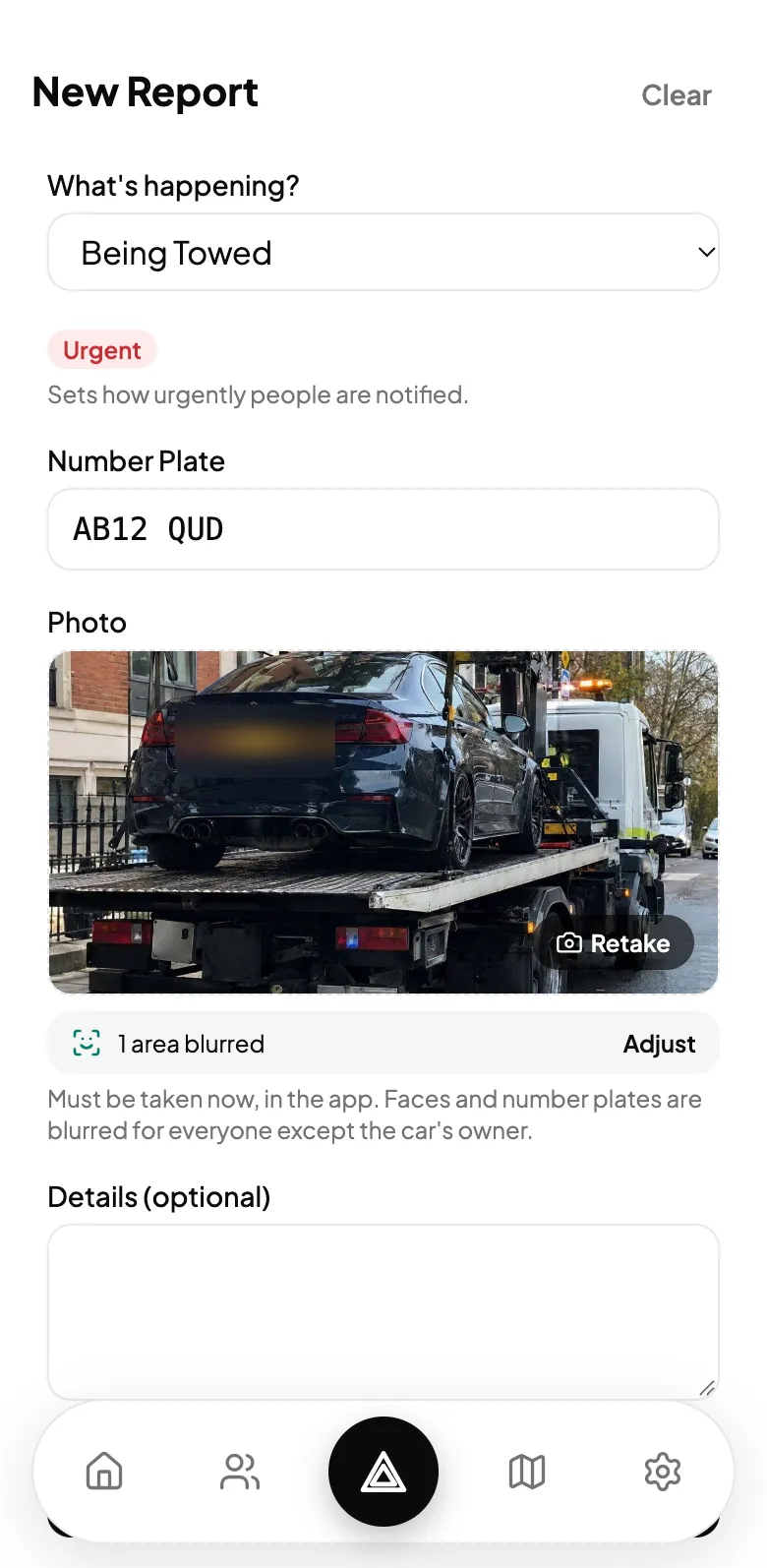
Every report needs a photo taken there and then in the app, stamped with the time and place. Anyone else who saw it can confirm it with a tap.
-
9:41
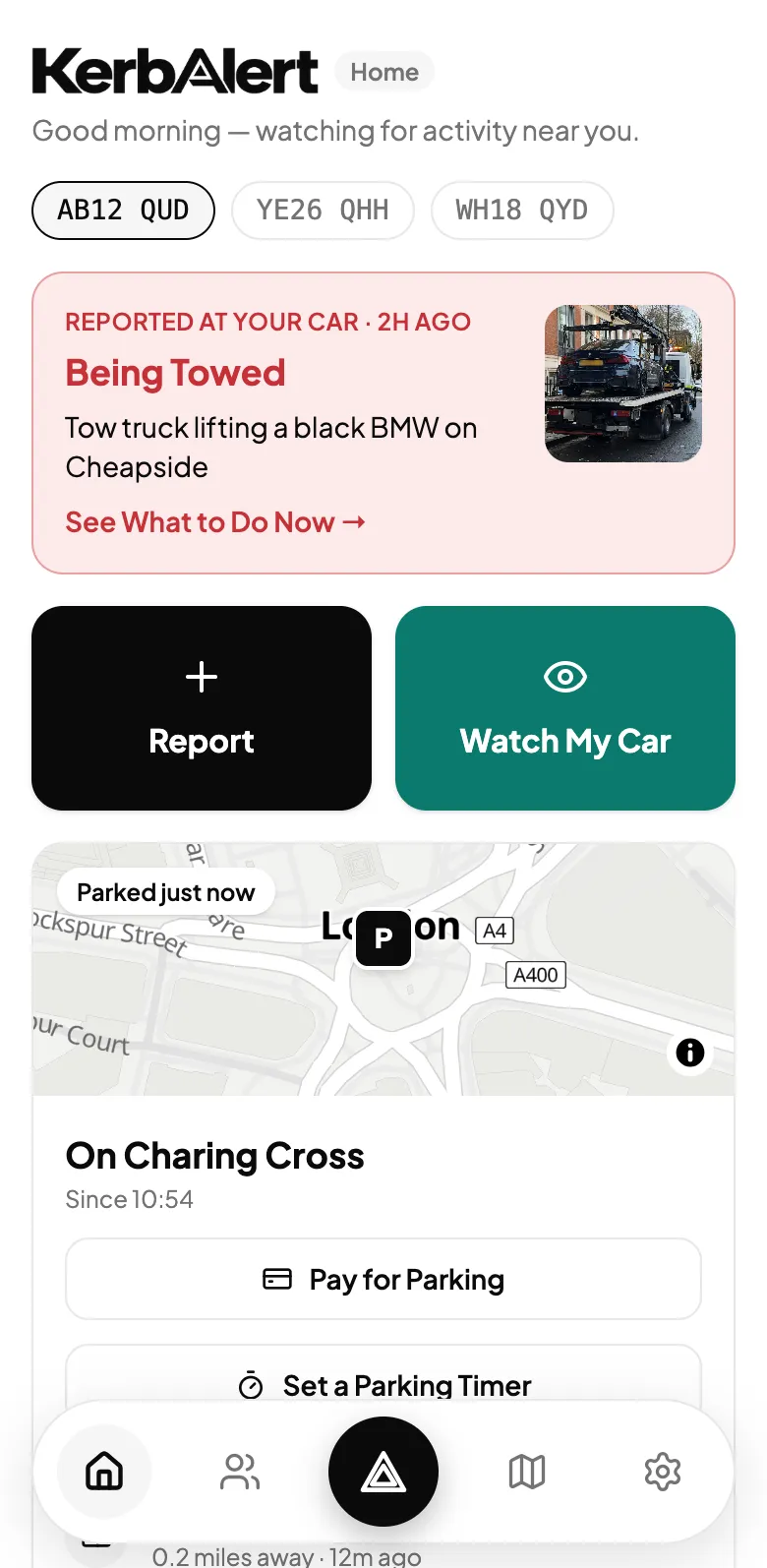
You’re told
Add your number plate once. When a report matches it, you’re told straight away, with clear steps on what to do next.


I’ve Parked Here
Tell us where you parked. We’ll tell you what happens nearby.
Tap once when you leave your car. For the next 24 hours, or until you drive off, anything reported within about 250 metres alerts you, even if nobody caught your plate.
- See wardens, towing and road closures near your car at a glance.
- Set a parking timer and get a reminder before it runs out, even with no signal.
- Pay in your usual parking app, and your timer is ready when you come back.
- Where you’ve parked is private to you.
What people report
From tickets to tow trucks.
Every report is one of eight types, and each type has a fixed level of urgency. Tows and break-ins always come first.
- Being TowedUrgent
- Break-In / TheftUrgent
- VandalismHigh
- Accident / CollisionHigh
- Wardens & TicketsHeads Up
- Road ClosedHeads Up
- Suspicious ActivityHeads Up
- Something ElseLow

Watch my car
Parked somewhere new? Ask the street to keep an eye on it.
Start a watch for one, two or four hours. Members nearby can offer to look out for your car and alert you the moment something seems wrong.
- Until someone offers to help, members only see roughly where your car is and for how long.
- Helpers see your car’s colour and make, never its number plate.
- You’re told when someone starts watching, and when they stop.

Live map
See what’s happening on your street.
Every report lands on a live map, coloured by urgency. Warden sightings fade after 12 hours and everything else after two days, so the map shows what matters now.
- Look back over the past week, month or three months before you park somewhere new.
- Filter for what you care about: towing, tickets, closures and more.
- Official road closures from TfL sit alongside members’ reports in London.
Privacy
Built to protect people, not expose them.
Looking out for each other only works if nobody gets hurt by it. These rules are part of how KerbAlert works, not settings you have to find.
Plates stay private
Number plates are never shown to other members. Only a car’s owner sees its plate on a report.
Faces and plates blurred
Your phone finds faces and plates in a report photo and blurs them before it’s uploaded. Only the car’s owner sees it unblurred.
Anonymous by default
Reports say “Anonymous” unless the reporter chooses to show a username. Even then, the owner of the car they reported never sees it.
No browsing parked cars
A watch request only shows roughly where and for how long. The car and exact spot are shared only with people who offer to help.
The community moderates
Three flags from different members hides a report straight away while it’s reviewed. False reports lower the reporter’s trust score.
Block anyone, quietly
Block whoever made a report or watch request. Their posts disappear for you, and neither of you is told.
When it’s urgent, we’ll ring you.
A notification is easy to miss. With Guardian, when your car is reported being towed or broken into, KerbAlert rings your phone and sends you a text as well.
- A phone call for urgent alerts, not just a notification.
- A text message too, in case you can’t pick up.
- Your emergency contacts told automatically.

Common questions
Is KerbAlert free?
Yes. Reporting, alerts, watches and the live map are free. Guardian, which adds phone calls and texts for urgent alerts, will be an optional paid extra.
How do I get alerts about my car?
Add your number plate in the app. Whenever someone reports something involving that plate, you get a notification. You can add more than one vehicle, cars and motorbikes alike.
Do I need a car to use it?
No. You can report what you see whether you drive, walk, cycle or ride. Plenty of the best reports come from people on foot. If you do have a car or a motorbike, add it to get alerts about it.
How do you stop fake reports?
Every report needs a photo taken there and then in the app. Other members can confirm what they saw or flag a report, and three flags hides it while it’s reviewed. False reports lower the reporter’s trust score.
Will the person who reported my car know who I am?
No. Reports are anonymous unless the reporter chooses to show a username, and the owner of the car in a report never sees who made it. Number plates are only ever shown to the vehicle’s owner.
Where does KerbAlert work?
Anywhere in the UK. The more people near you who use it, the more useful it becomes, so tell your neighbours.
More answers on the Support page.

Coming soon to iPhone and Android.
KerbAlert launches in the UK first. It will be free to download, with Guardian as an optional extra.